Istio Guide
It supports CDS and EDS in xDS protocol, and realizes incremental push for EDS and MCP. Users can use Envoy or other XDS protocol-enabled clients to dock with Nacos for service discovery.
Configuration
Server
For distribution packages:
modify nacos.istio.mcp.server.enabled in nacos/conf/application.properties to true.
For source code:
modify nacos.istio.mcp.server.enabled in nacos/distribution/conf/application.properties to true.
For incremental MCP:
modify nacos.istio.server.full in nacos/istio/misc/IstioConfig to false in addition to the above configuration.
Client
In the following example, using Envoy, you can download the Envoy directly or create a mirror and mount the following configuration file.
Config : the port number used can be changed on demand.
node:
  cluster: test-cluster
  id: test-idn

admin:
  address:
    socket_address: { address: 0.0.0.0, port_value: 15000 }

dynamic_resources:
  ads_config:
    api_type: GRPC
    transport_api_version: V3
    grpc_services:
    - envoy_grpc:
        cluster_name: nacos_xds
  cds_config:
    ads: {}
  lds_config:
    path: /etc/envoy/lds.yaml
  # ads: {}

static_resources:
  clusters:
  - type: STATIC
    connect_timeout: 1s
    typed_extension_protocol_options:
      envoy.extensions.upstreams.http.v3.HttpProtocolOptions:
        "@type": type.googleapis.com/envoy.extensions.upstreams.http.v3.HttpProtocolOptions
        explicit_http_config:
          http2_protocol_options: {}
    name: nacos_xds
    load_assignment:
      cluster_name: nacos_xds
      endpoints:
      - lb_endpoints:
        - endpoint:
            address:
              socket_address:
                address: 127.0.0.1
                port_value: 18848
lds : when Envoy acquires a listening service, it automatically acquires EDS from the server. The listening service can change as needed.
resources:
- "@type": type.googleapis.com/envoy.config.listener.v3.Listener
  name: listener_0
  address:
    socket_address: { address: 0.0.0.0, port_value: 80 }
  # listener_filters:
  # - name: "envoy.filters.listener.tls_inspector"
  filter_chains:
  - filters:
    - name: envoy.filters.network.http_connection_manager
      typed_config:
        "@type": type.googleapis.com/envoy.extensions.filters.network.http_connection_manager.v3.HttpConnectionManager
        stat_prefix: ingress_http
        access_log:
        - name: envoy.access_loggers.stdout
          typed_config:
            "@type": type.googleapis.com/envoy.extensions.access_loggers.stream.v3.StdoutAccessLog
        codec_type: AUTO
        route_config:
          name: local_route
          virtual_hosts:
          - name: local_service
            domains: ["*"]
            routes:
            - match: { prefix: "/" }
              name: test
              route:
                cluster: outbound|8071||service-provider.DEFAULT-GROUP.e77d7925-1c90-4fa9-93cb-83153a099636.nacos
        http_filters:
        - name: envoy.filters.http.router
RUN
Note: each instance of the same service should use the same protocol, EDS default to use incremental push.
Deploy Nacos, deployment reference ;
Modify the configuration in accordance with the above requirements;
Start the server, the detailed start command can be seen in the above deployment reference;
bash startup.sh -m standalone -p embeddedStart the client.
docker start envoy
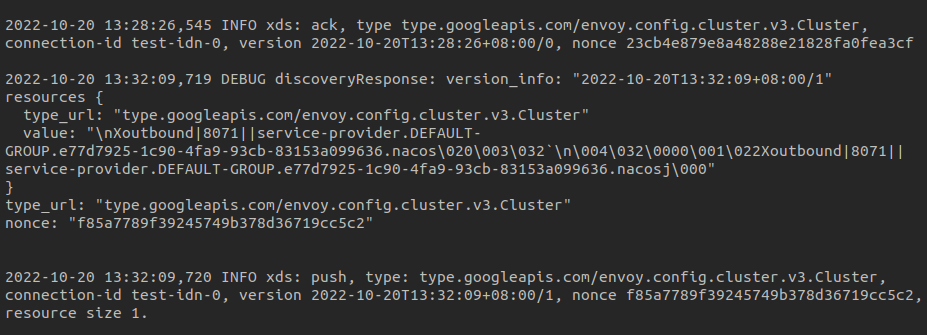
CDS Example
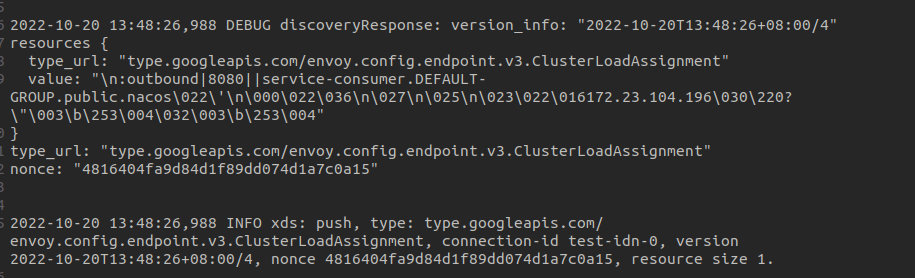
Note: The logs are viewed in nacos/logs/istio-main.log
The service configuration registered in the example is as follows, example reference .
server.port=8071
spring.application.name=service-provider
spring.cloud.nacos.discovery.namespace=e77d7925-1c90-4fa9-93cb-83153a099636
spring.cloud.nacos.discovery.server-addr=127.0.0.1:8848
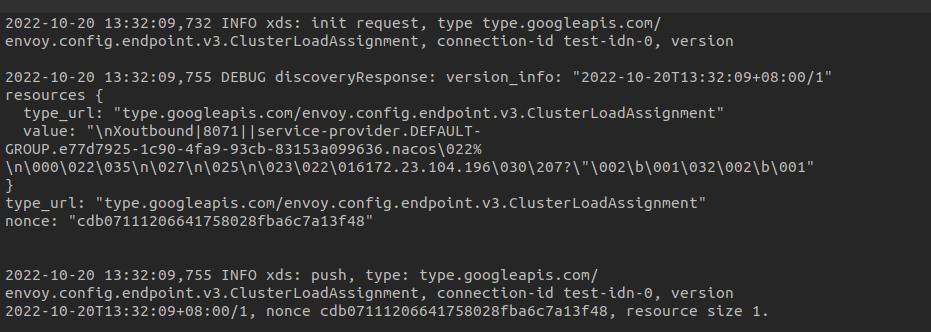
EDS Example
The service is configured as above.
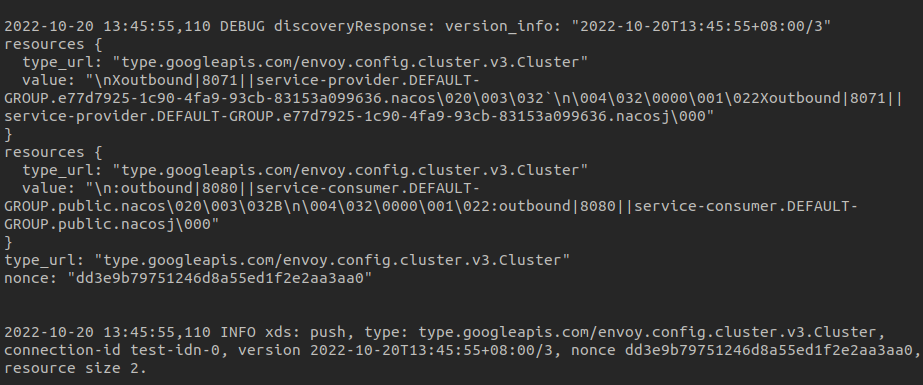
Full CDS Example
The services are registered with the following configurations:
#service-provider
server.port=8071
spring.application.name=service-provider
spring.cloud.nacos.discovery.namespace=e77d7925-1c90-4fa9-93cb-83153a099636
spring.cloud.nacos.discovery.server-addr=127.0.0.1:8848

#service-consumer
server.port=8080
spring.application.name=service-consumer
spring.cloud.nacos.discovery.server-addr=127.0.0.1:8848
In the console, modify only the service-consumer service configuration, push as follows:
Incremental EDS Example
In the console, modify only the service-consumer instance configuration, push as follows: