
Dify Discovers Nacos MCP Server
Dify Discovers Nacos MCP Server
Nacos MCP plugin supports converting SSE/Streamable HTTP-type MCP Server services registered in Nacos into Dify-compatible tool calls. Through the Nacos MCP plugin, Dify applications can dynamically discover SSE/Streamable HTTP-type MCP Server services registered in Nacos. The plugin assists models in dynamically selecting and routing MCP services based on demand, effectively reducing token consumption during model invocations.
Step 1 Set up MCP Server in Nacos.
Create SSE/Streamable HTTP MCP Server in Nacos through manual creation, Spring AI Alibaba Mcp Nacos automatic registration, and Nacos MCP Wrapper Python automatic registration. Requires Nacos version ≥ 3.0.1.
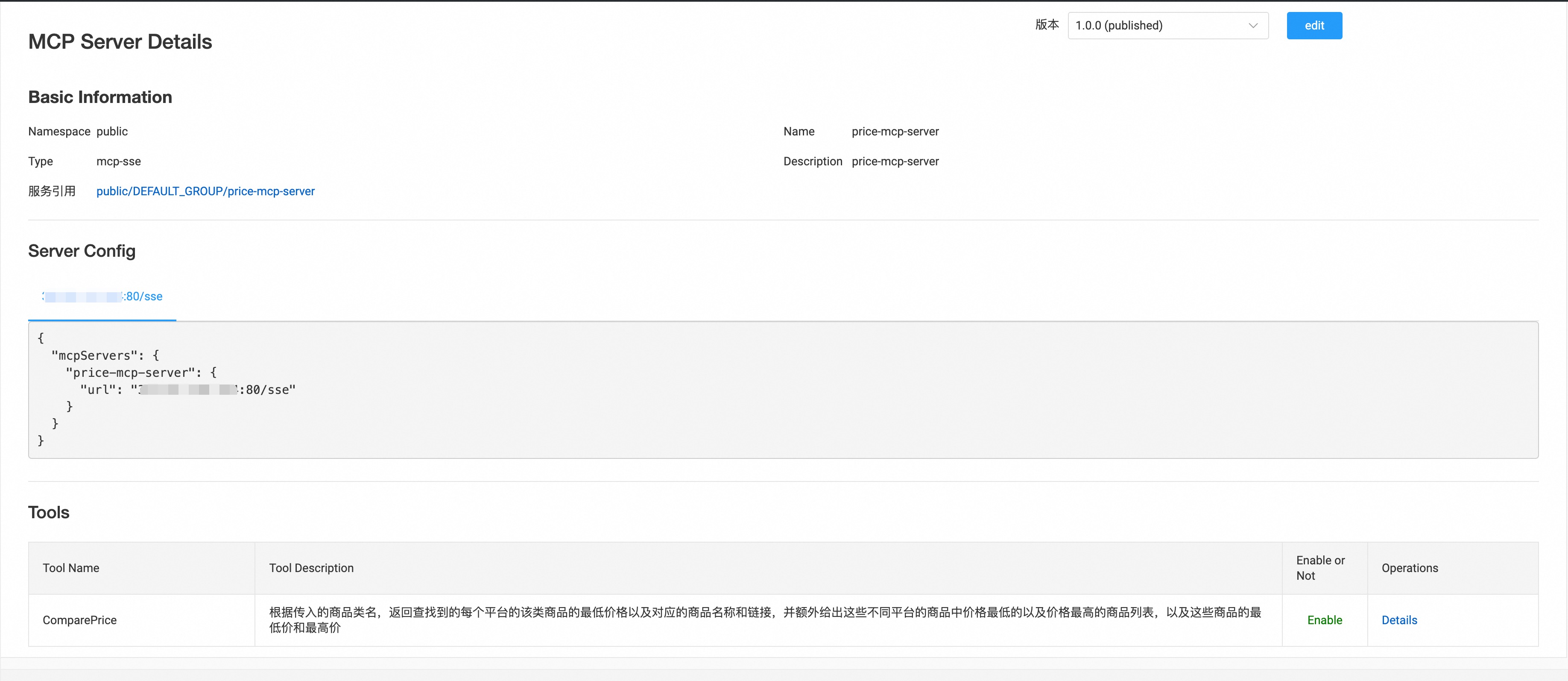
Step 2 Set Up Authorization.
Enter the Nacos Server address, username, and password to configure Nacos MCP plugin authentication. The plugin will check connectivity with the Nacos Server.
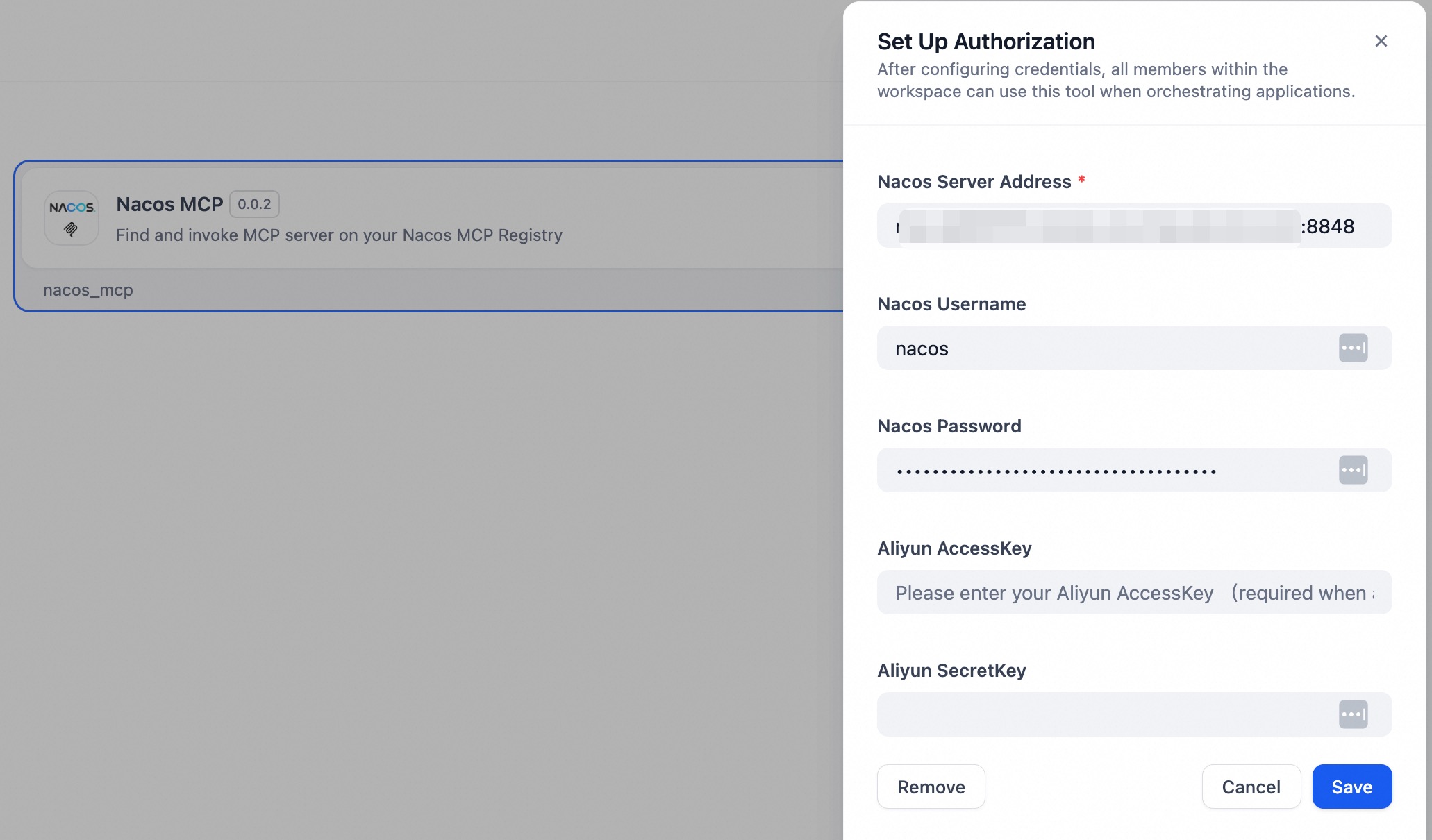
Step 3 Usage.
The Nacos MCP plugin provides the following tools:
1. Search MCP Servers list (list_mcp_servers)
Search for SSE/Streamable HTTP-type MCP Server services in Nacos based on the namespace and page number, and return the list. The namespace parameter is specified by the user.
2. List tools of MCP Server (list_mcp_server_tools)
Return the list of available tools for a given MCP Server based on the namespace and the provided MCP Server name. The MCP Server name is automatically inferred by the model. The namespace parameter is specified by the user.
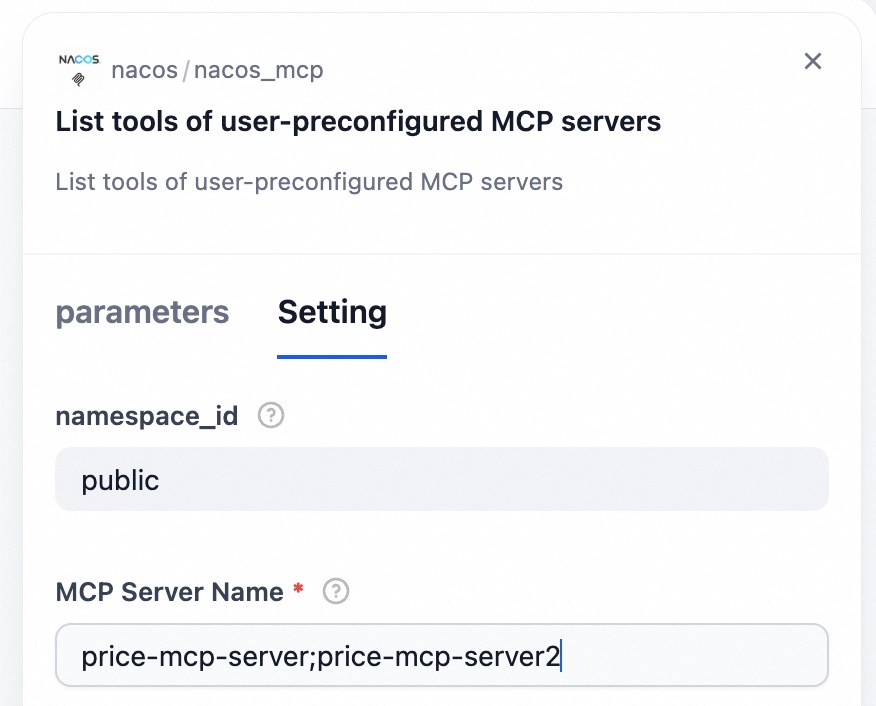
3. List tools of user-preconfigured MCP servers (list_mcp_server_tools_by_user)
Return the list of available tools for a given MCP Server based on the namespace and the provided MCP Server name. The MCP Server name is manually specified by the user in advance. The namespace parameter is specified by the user.
4. Call MCP Server tool (call_mcp_tool)
Invoke tools of the MCP Server based on the namespace, MCP Server name, tool name, and tool invocation parameters, and return the result of the invocation. The namespace parameter is specified by the user.
Users can use the Nacos MCP plugin in Dify in two ways:
If users want the model to automatically search for the list of MCP Servers in Nacos and automatically select an appropriate MCP Server, they can configure the model with Query MCP Server List, Find Tool List of a Specific MCP Server, and Invoke MCP Server Tools. The model will first query the list of MCP Servers, then select an appropriate MCP Server based on task requirements, query its corresponding tools, and invoke them.

If users want to manually specify which MCP Servers to import, they can configure List Tools of User-Preconfigured MCP Servers and Invoke MCP Server Tools. The model will first query the list of tools from the user-configured MCP Servers, then select the appropriate tool based on task requirements and invoke it.

In List Tools of User-Preconfigured MCP Servers, you need to enter the names of the MCP Servers in Nacos. Multiple MCP Servers are supported, separated by ;.
FAQ
Q: Authorization setup failed
A: Ensure that the Nacos Server version is 3.0.1 or higher, and verify that the Nacos Server address, username, and password are correct. Pay attention to whether the port is correctly set — the default port for Nacos Server is 8848. Also, ensure network connectivity between Nacos Server and Dify.
Q: The model fails to find the correct MCP Server or invoke the correct tool
A: Make sure the descriptions of the corresponding MCP Server and its tools in Nacos are accurate. Well-written descriptions help the model better identify and use the appropriate MCP Servers and tools.