
Nacos Overview
Nacos is pronounced /nɑ:kəʊs/. The name comes from Dynamic Naming and Configuration Service.
Nacos is a dynamic service discovery, configuration management, and AI Registry platform for cloud-native and AI applications. The project started from two core problems: how applications find services, and how applications safely read and update configuration. In Nacos 3.x, these capabilities are extended with AI Registry, which manages AI resources such as Skills, Agents (including A2A), MCP Servers, Prompts, and AgentSpecs.
The goal is simple: applications should safely and quickly find the services, configuration, and AI capabilities they need at runtime.
Core Capabilities
| Capability | What it solves | Start here |
|---|---|---|
| Service discovery | Register, discover, subscribe to, and check services | Quick Start, Client API |
| Configuration management | Manage, update, roll back, and audit configuration | Quick Start, Java SDK |
| AI Registry | Register, govern, and discover Skills, Agents, MCP Servers, Prompts, and AgentSpecs | AI Registry Overview |
| Operations | Deploy, monitor, upgrade, and secure Nacos clusters | Deployment, Monitoring, Authorization |
| Plugins | Extend auth, data source, encryption, control, environment, and tracing behavior | Plugin Overview |
What Is New In Nacos 3.x
Nacos 3.x keeps the service discovery and configuration management capabilities, and adds stronger API, security, and AI features.
- Unified v3 APIs: Client API, Admin API, and Console API serve different callers with clearer boundaries.
- Authentication by default: Since 3.3, Client API, SDK, and gRPC requests require credentials by default. Admin and Console API authentication is also enabled. Configure access credentials before connecting applications.
- AI Registry as a first-class capability: Nacos manages MCP Servers, Agents, Prompts, Skills, AgentSpecs, and related versions. Version 3.3 provides a shared lifecycle for all five resource types, retains A2A integration, and uses RAD to discover Agent call definitions and runtime endpoints.
- Richer plugin model: Auth, visibility, publish Pipeline, resource import, data source, and tracing can be extended when needed.
- Clearer operations model: Deployment, monitoring, upgrade, system parameters, Admin API, and Maintainer SDK are easier to use in platform operations.
Product Advantages
- Easy to use: Nacos provides a console, SDKs, OpenAPI, and Maintainer SDK. Developers can quickly connect applications to service discovery and configuration management. Operators can manage clusters through UI pages and APIs.
- Complete capability set: Nacos covers service discovery, configuration management, health checks, configuration history, gray release, authorization, monitoring, and plugin extension. Nacos 3.x also adds AI Registry for Skill, Agent, MCP, Prompt, AgentSpec, and other AI application resources.
- Production-oriented: Nacos supports cluster mode, external databases, metrics, authentication, Admin API, and upgrade workflows. It can grow from local development to production operations.
- Open ecosystem: Nacos works with Spring Cloud, Dubbo, Kubernetes, Higress, Dify, Spring AI Alibaba, and other ecosystems. The plugin model also lets teams extend Nacos for their own security, storage, and governance requirements.
Design Principles
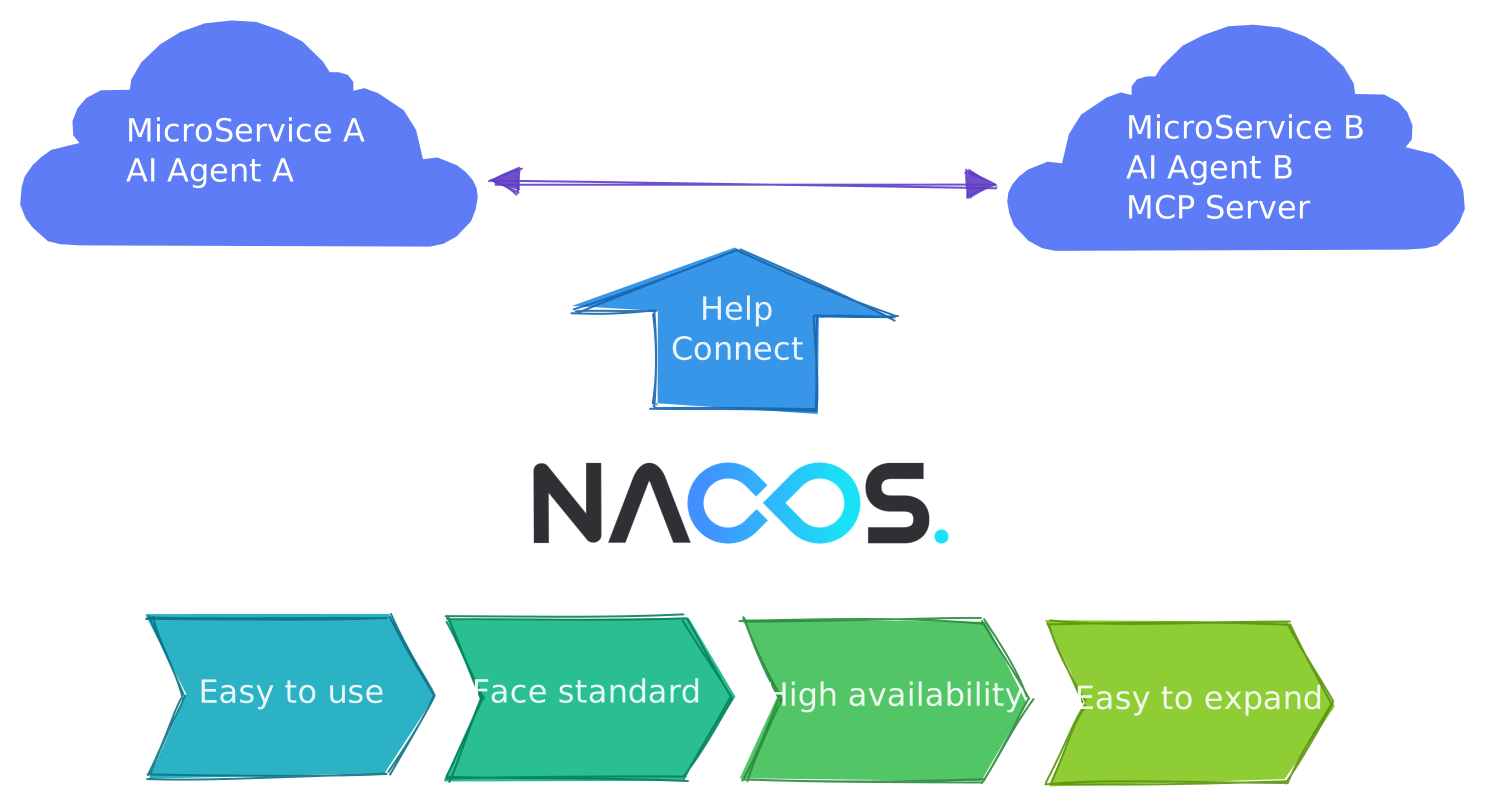
- Easy to use: Core Nacos features should be easy to adopt, understand, and operate. Users should not need to understand internal implementation details before they can register services, read configuration, or discover AI resources.
- Standards-oriented: Nacos prefers clear and stable interfaces and models. Service discovery, configuration management, v3 APIs, MCP, A2A, OpenAPI, and plugin extension should avoid unnecessary private constraints.
- Highly available: Nacos is runtime infrastructure. Service discovery, configuration management, and AI resource discovery can all affect running applications. Nacos therefore continues to improve clustering, storage, push, recovery, and observability.
- Easy to extend: Different teams have different security, audit, data source, and release processes. Nacos uses plugins and clear API boundaries so users can extend capabilities without changing core code.
Architecture
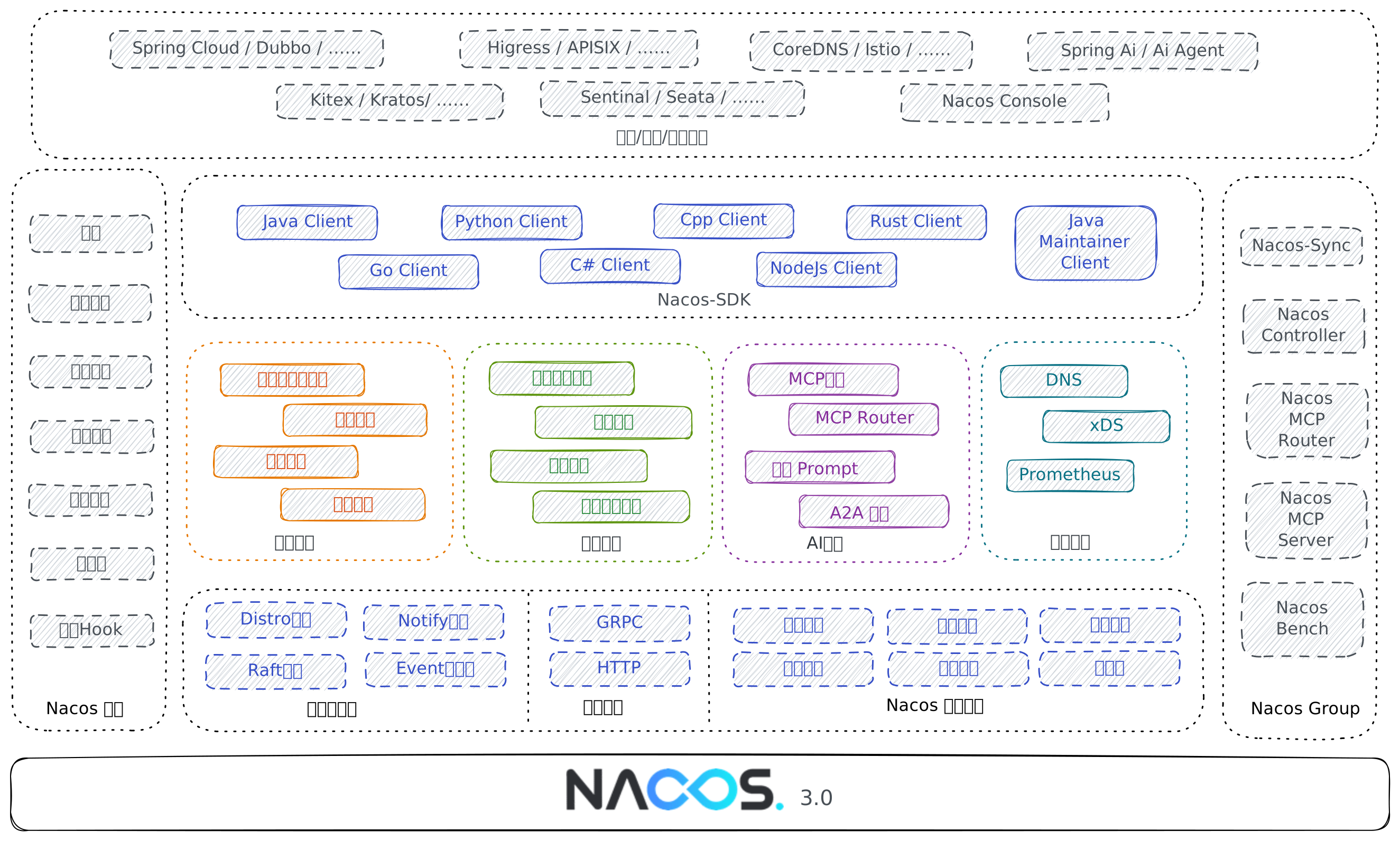
Nacos is built on communication, consistency, storage, and runtime foundation modules. On top of these foundations, it provides service discovery, configuration management, and AI Registry.
SDKs, OpenAPI, the console, and the Maintainer SDK are the main ways users access these capabilities.
Plugins and ecosystem integrations sit around the core. Plugins extend Nacos itself. Ecosystem integrations connect Nacos with Spring Cloud, Dubbo, Kubernetes, Higress, Dify, Spring AI Alibaba, and other systems.
AI Registry
Nacos 3.x treats AI Registry as a core capability beside service discovery and configuration management. It is useful to both platform administrators and AI application developers.
AI Registry focuses on the resources that AI applications need at runtime: Skills, Agents, MCP Servers, Prompts, and AgentSpecs. These resources are not just static descriptions. They also need versions, labels, visibility, lifecycle states, and runtime discovery.
- Skills package reusable AI capabilities and distribute them by version.
- Agents expose call definitions and runtime endpoints for multi-agent applications; A2A AgentCards are one protocol representation.
- MCP Servers expose tools, resources, and endpoints to models, Agents, and MCP clients.
- Prompts provide stable templates that applications can read by version or label.
- AgentSpecs distribute standardized Agent specification packages for Agent platforms and developer tools.
For the full AI Registry panorama, MCP Registry details, and resource-specific entry points, read AI Registry Overview.
Data Model
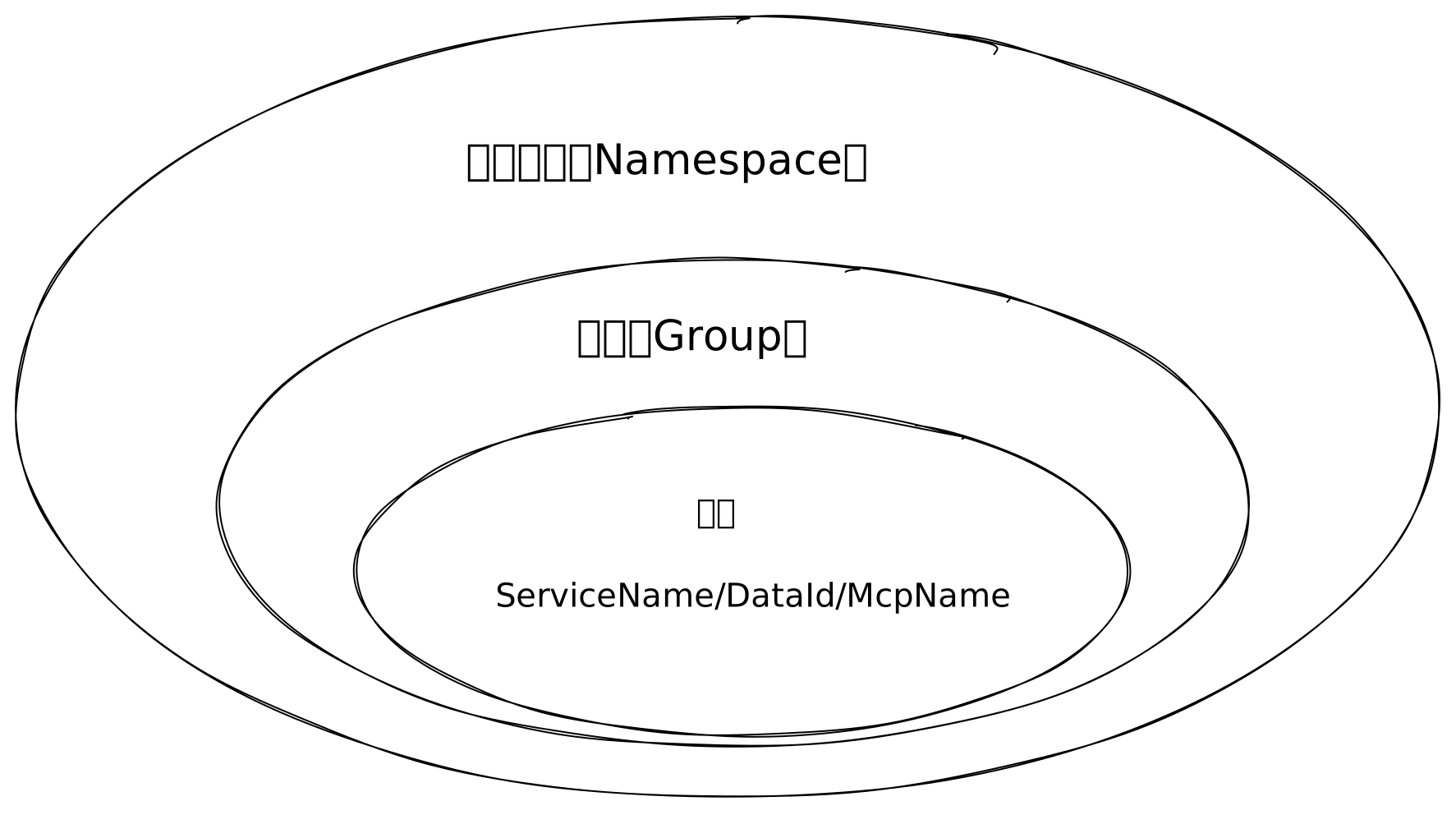
Nacos resources are usually isolated by namespace.
- In service discovery, the resource name is usually the service name.
- In configuration management, the resource name is usually the Data ID.
- In AI Registry, the resource name can be an MCP Server name, Agent name, Prompt key, Skill name, or AgentSpec name.
Use namespaces to separate environments, tenants, or business domains. In production, avoid mixing test and production resources in the same namespace.
Deployment Modes
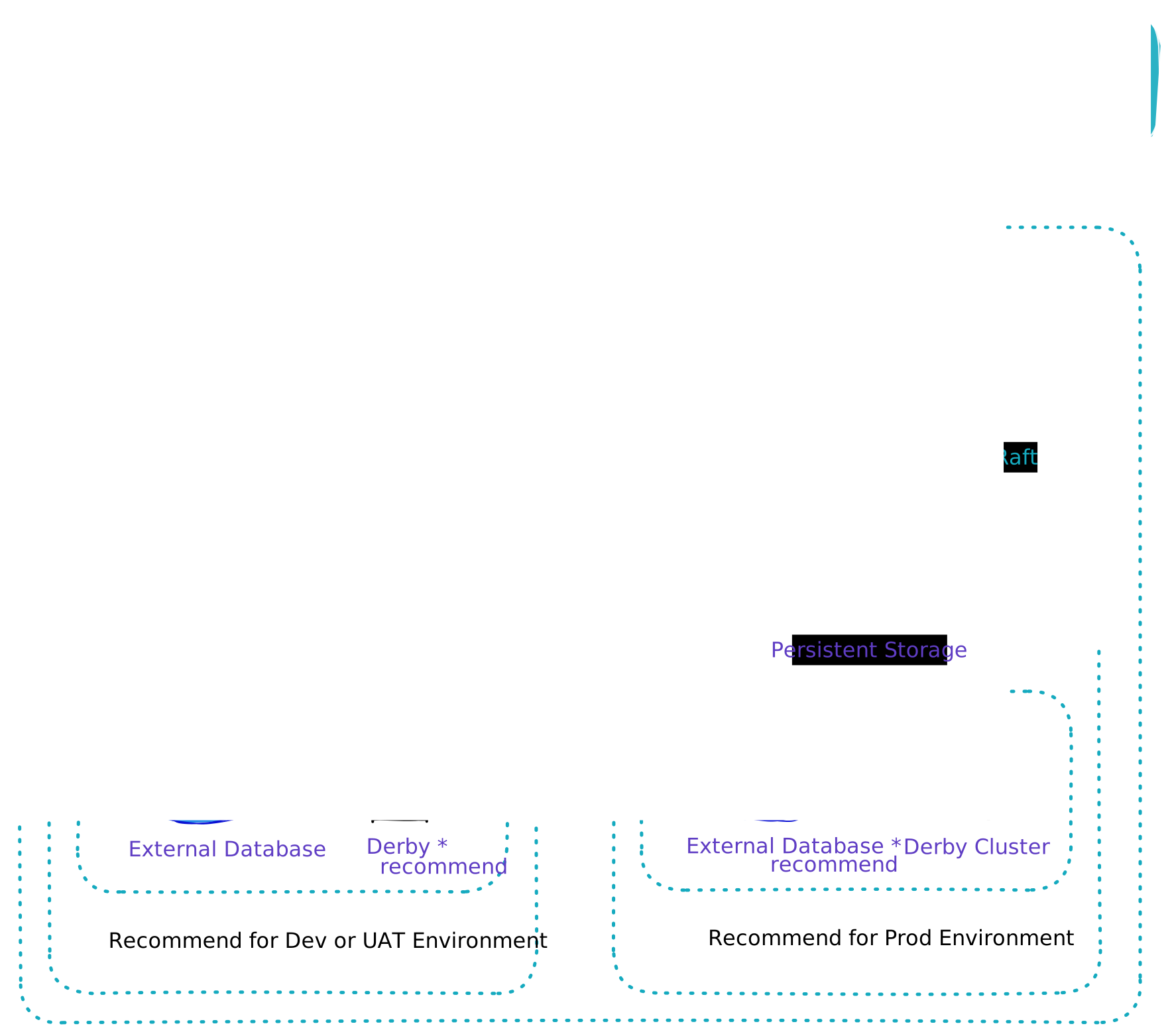
Nacos supports standalone mode and cluster mode.
Standalone mode is suitable for local development, feature validation, and test environments. It is easy to start and can use the embedded Derby database. It is not recommended for highly available production traffic.
Cluster mode is suitable for production. Multiple nodes provide service together. With an external database and consistency protocols, the cluster has better availability. For production, also configure monitoring, alerting, authentication, and backup.
Ecosystem
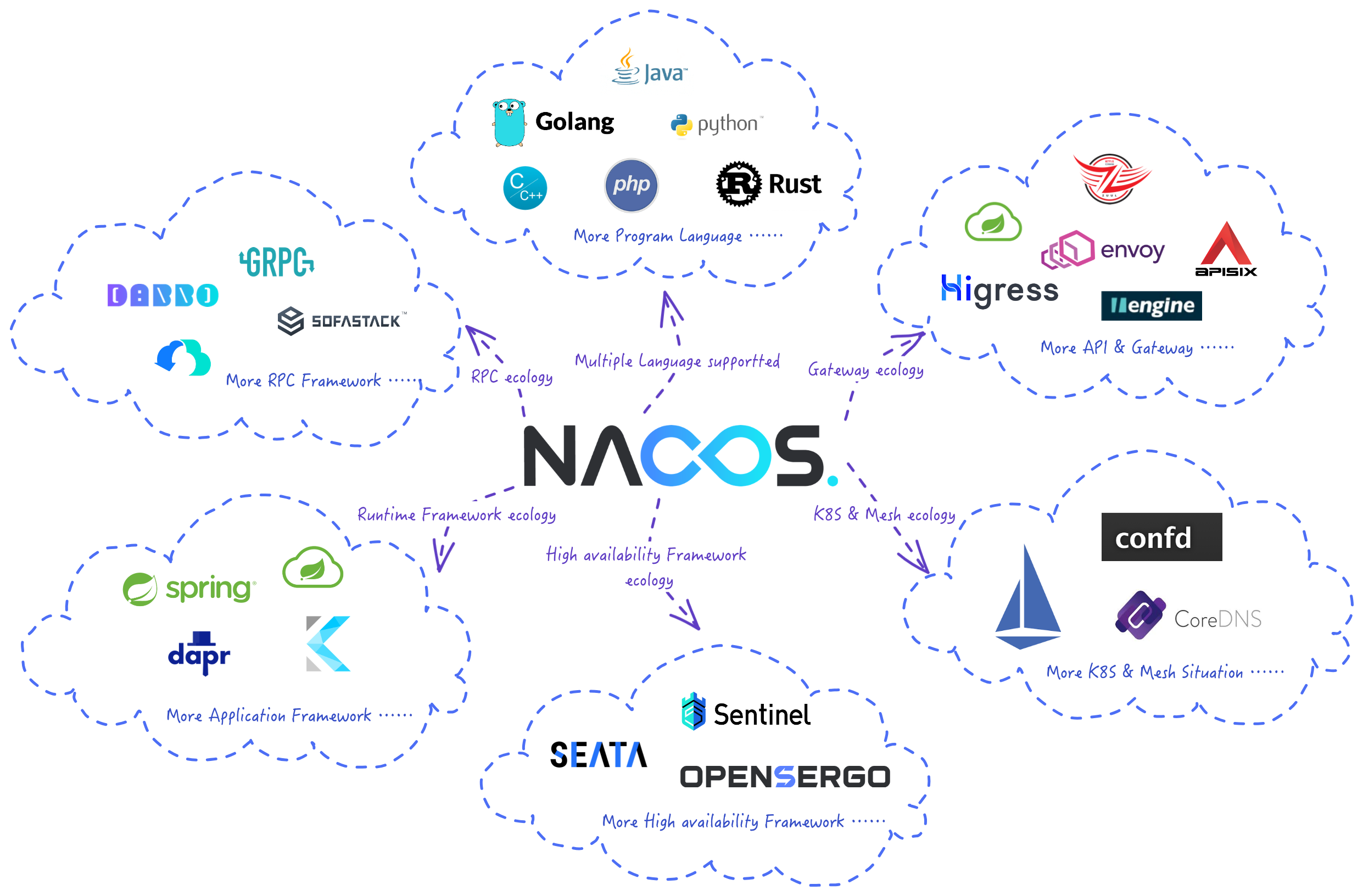
Nacos ecosystem integrations cover microservice, cloud-native, and AI application scenarios. Common integrations include Spring Cloud, Dubbo, Kubernetes, CoreDNS, Higress, Dify, Spring AI Alibaba, and Nacos MCP Router.
Ecosystem components usually serve two purposes. Some connect applications to Nacos, such as Spring Cloud, Dubbo, and SDKs. Others bring Nacos registration, configuration, or AI Registry capabilities into larger platforms, such as Kubernetes, Higress, Dify, and MCP Router.
Version 3.3 also provides built-in DNS service discovery and ARD resource discovery. See Ecosystem Overview for other integrations.
Roadmap
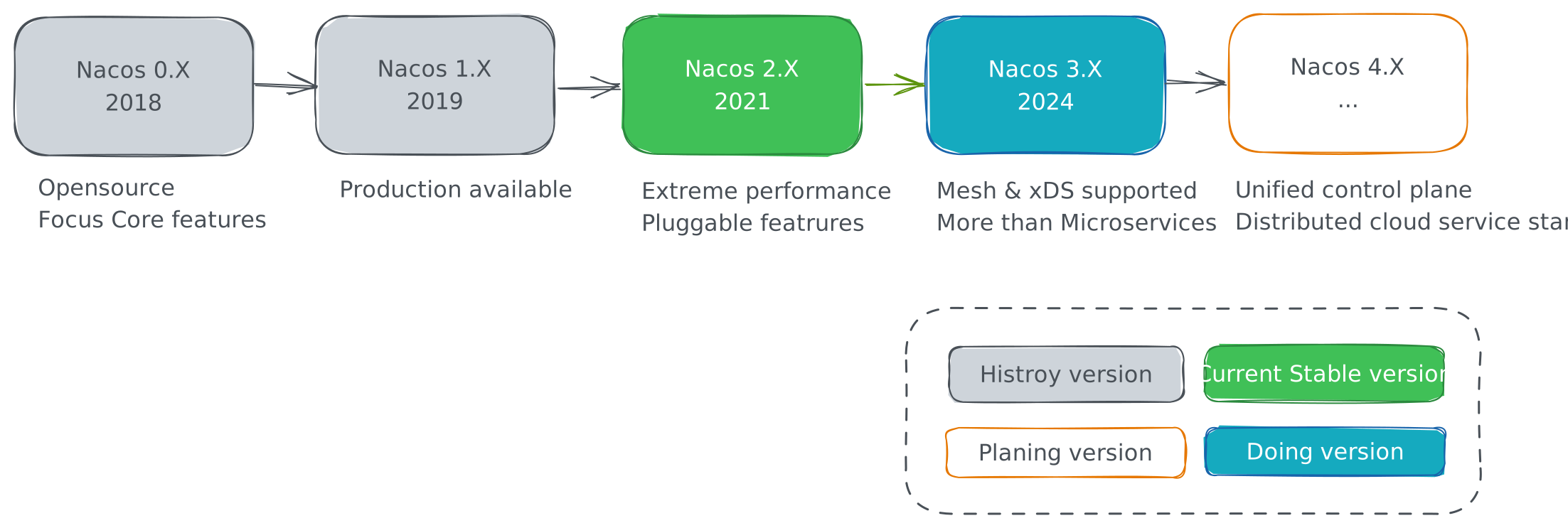
Nacos continues to evolve in three directions: stable service discovery and configuration management, production-grade security and operations, and AI Registry governance for AI applications. The roadmap may change with community feedback and release planning. Use release notes and milestones as the source of truth for delivered features.
Recommended Reading Paths
If you are new to Nacos:
- Read Quick Start and start Nacos first.
- Read Java SDK or Client API to connect an application.
- Read API Overview to understand the boundary between Client API, Admin API, and Console API.
If you operate Nacos in production:
- Read Deployment to confirm deployment mode, ports, and storage.
- Read System Configurations and Monitoring.
- Read Authorization, Admin API, and Maintainer SDK.
If you build AI applications:
- Read AI Registry Overview.
- Choose the Skill, Agent, MCP, Prompt, or AgentSpecs document for your scenario.
- If you need version governance, read AI Resource Lifecycle.
- Use RAD to discover and subscribe to Agents, or ARD to search and download multiple resource types. For optional vector retrieval, read AI Vector Plugin.
Next Actions
- Try Nacos for the first time: read Quick Start.
- Prepare for production: read Deployment.
- Use AI Registry: read AI Registry Overview.
- Understand API boundaries: read API Overview.
- Contribute to the community: read Contributing.