
MCP Server auto-registers and Discovery Manual
By developing an MCP Server using the Spring AI Alibaba framework or the Nacos MCP Wrapper Python, the server can be dynamically registered into Nacos after startup and supports the following capabilities:
- Dynamic MCP Server Management: Add, delete, update, and query service information via the MCP service list
- Dynamic Description Updates: Tool descriptions and parameter definitions support runtime hot updates without requiring a service restart
- Dynamic On/Off for MCP Server Tools: Enable or disable tools at runtime without restarting the service
- Full-Stack Integration: Service registration information is automatically synchronized to the Nacos configuration center and service discovery module, adapting to AI Agent invocation requirements
Services registered in the Nacos MCP Registry can be discovered and invoked through the Spring AI Alibaba framework or the Nacos MCP Router, or integrated with the Higress gateway to achieve full-chain integration.
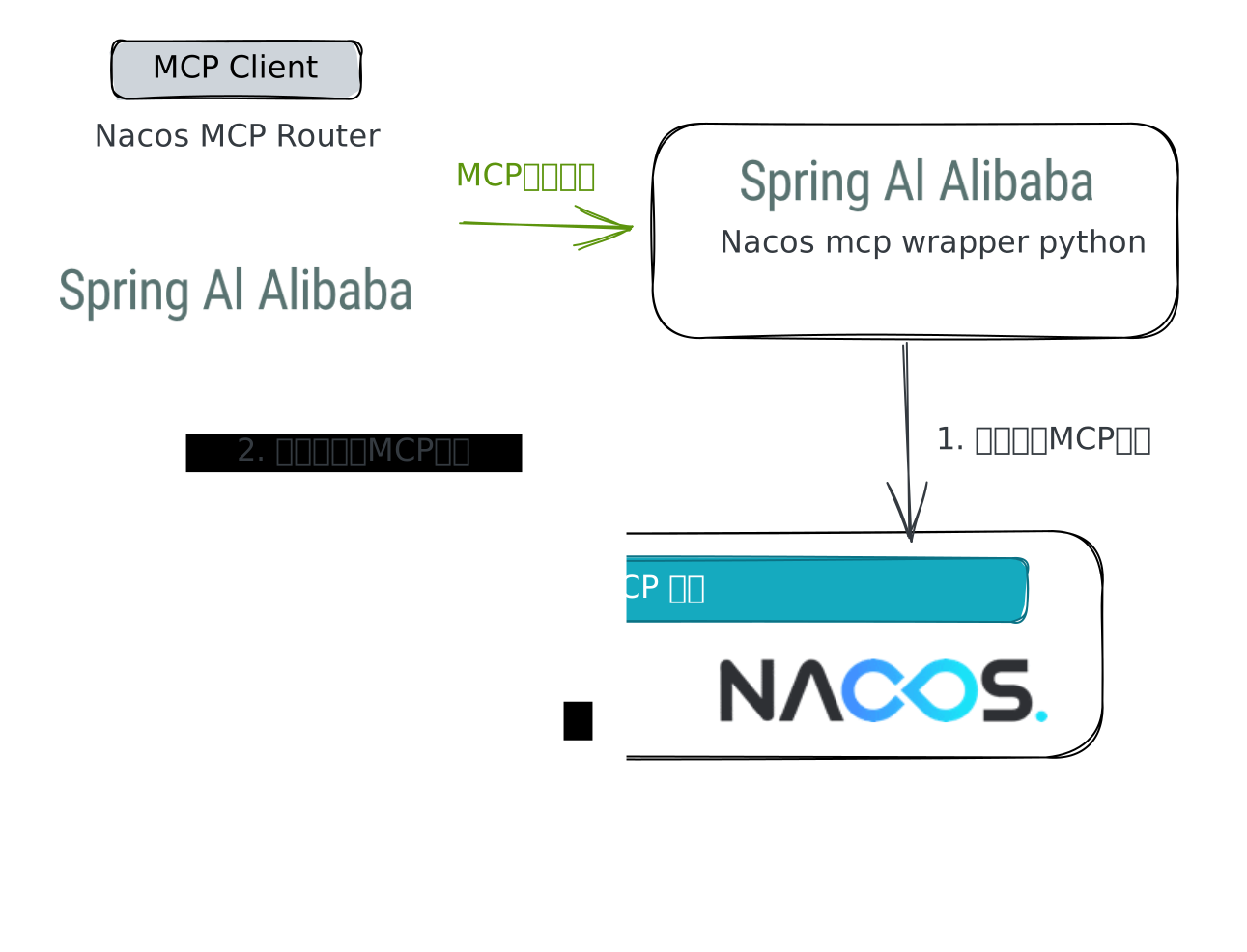
Automatic Registration of MCP Server
Developing an MCP Server Using Spring AI Alibaba Nacos MCP Framework
1. Dependency Configuration
<dependency>    <groupId>com.alibaba.cloud.ai</groupId>    <artifactId>spring-ai-alibaba-starter-mcp-registry</artifactId>    <version>{version >= 1.0.0.3}</version></dependency>
<!-- MCP Server (WebMVC) --><dependency>    <groupId>org.springframework.ai</groupId>    <artifactId>spring-ai-starter-mcp-server-webmvc</artifactId>    <version>{version >= 1.0.0}</version></dependency>
2. Service Definition (Example)
@Servicepublic class WeatherService {
  @Tool(description = "Get weather information by city name")  public String getWeather(@ToolParam(description = "City name") String cityName) {    return "Sunny in " + cityName;  }}
3. Auto-registration Configuration
spring: application: name: mcp-nacos-registry-example ai: mcp: server: name: webmvc-mcp-server # MCP service name version: 1.0.0 # Service version type: SYNC # Invocation type: SYNC (synchronous) or ASYNC (asynchronous) instructions: "This mcp server provides time information tools and resources" alibaba: mcp: nacos: server-addr: # Replace with your Nacos address namespace: public # Nacos namespace ID (default is 'public') username: # Open-source console username password: # Open-source console password registry: enabled: true # Whether to enable service registration4. Service Startup
@SpringBootApplicationpublic class Application {
    public static void main(String[] args) {        SpringApplication.run(Application.class, args);    }
    @Bean    public ToolCallbackProvider weatherTools(WeatherService weatherService) {        return MethodToolCallbackProvider.builder().toolObjects(weatherService).build();    }
}
Developing an MCP Server Using Nacos MCP Wrapper Python
1. Environment Setup
pip install nacos-mcp-wrapper-python2. Auto-registration Configuration
nacos_settings = NacosSettings()nacos_settings.SERVER_ADDR = "127.0.0.1:8848" # <nacos_server_addr> e.g. 127.0.0.1:8848nacos_settings.NAMESPACE= "public" # Nacos namespace IDnacos_settings.USERNAME="" # Open-source console usernamenacos_settings.PASSWORD="" # Open-source console password3. Code Implementation
from nacos_mcp_wrapper.server.nacos_mcp import NacosMCPfrom nacos_mcp_wrapper.server.nacos_settings import NacosSettings
# Create an MCP server instancenacos_settings = NacosSettings()nacos_settings.SERVER_ADDR = "127.0.0.1:8848" # <nacos_server_addr> e.g. 127.0.0.1:8848nacos_settings.USERNAME=""nacos_settings.PASSWORD=""mcp = NacosMCP("nacos-mcp-python", nacos_settings=nacos_settings, port=18001)
# Register an addition tool@mcp.tool()def add(a: int, b: int) -> int:    """Add two integers together"""    return a + b
# Register a subtraction tool@mcp.tool()def minus(a: int, b: int) -> int:    """Subtract two numbers"""    return a - b

if __name__ == "__main__":    try:        mcp.run(transport="sse")        # mcp.run(transport="stdio")        # mcp.run(transport="streamable-http")    except Exception as e:        print(f"Runtime error: {e}")
For more usage examples, please refer to https://github.com/nacos-group/nacos-mcp-wrapper-python/tree/main
Dynamically Updating Tool Status and Descriptions in Nacos
After the MCP Server is automatically registered into Nacos, you can dynamically change the description and enable/disable status of the MCP Server Tools on the console. These changes will take effect at runtime on the MCP Server without requiring a service restart.

Frequently Asked Questions
- Error
mcp server info is not compatibleorcheck mcp server compatible falseoccurs during startup
This issue occurs when there is already MCP Server data of the same version in Nacos, and the newly registered MCP Server data is incompatible with the existing one. Please ensure compatibility between the auto-registered MCP Server and the corresponding data in Nacos, including:
- Consistent MCP Server protocol (stdio, sse, streamable)
- Consistent service references
- Consistent tool data (tool names, number of tools, parameter types, optional parameters). Note that tool descriptions and parameter descriptions are not required to match.
Discovering and Invoking the MCP Server
Discovering and Invoking the MCP Server Using the Spring AI Alibaba Nacos MCP Framework
1.Dependency Configuration
<dependency>    <groupId>org.springframework.ai</groupId>    <artifactId>spring-ai-autoconfigure-model-openai</artifactId>    <version>{version >= 1.0.0}</version></dependency>
<dependency>    <groupId>org.springframework.ai</groupId>    <artifactId>spring-ai-autoconfigure-model-chat-client</artifactId>    <version>{version >= 1.0.0}</version></dependency>
<dependency>    <groupId>com.alibaba.cloud.ai</groupId>    <artifactId>spring-ai-alibaba-starter-mcp-registry</artifactId>    <version>{version >= 1.0.0.3}</version></dependency>
<dependency>    <groupId>org.springframework.ai</groupId>    <artifactId>spring-ai-starter-mcp-client-webflux</artifactId>    <version>{version >= 1.0.0}</version></dependency>
2.Create Async or Sync MCP Client
@Autowiredprivate List<LoadbalancedMcpSyncClient> loadbalancedMcpSyncClients;or
@Autowiredprivate List<LoadbalancedMcpAsyncClient> loadbalancedMcpAsyncClients;Or Use ToolCallbackProvider
@Qualifier("loadbalancedSyncMcpToolCallbacks") ToolCallbackProvider toolsor
@Qualifier("loadbalancedMcpAsyncToolCallbacks") ToolCallbackProvider tools3.application.yml配置
spring: application: name: mcp-client-webflux ai: openai: api-key: ${DASHSCOPE_API_KEY} base-url: https://dashscope.aliyuncs.com/compatible-mode chat: options: model: qwen-max alibaba: mcp: nacos: namespace: 4ad3108b-4d44-43d0-9634-3c1ac4850c8c server-addr: 127.0.0.1:8848 username: nacos password: nacos client: enabled: true sse: connections: server1: service-name: webflux-mcp-server # Nacos 中对应 MCP Server 的服务名 version: 1.0.0 # Nacos 中对应 MCP Server 的版本号 mcp: client: enabled: true name: mcp-client-webflux version: 0.0.1 initialized: true request-timeout: 600s type: sync toolcallback: enabled: true root-change-notification: true4.Exmaple Code
@SpringBootApplicationpublic class NacosMcpDiscoveryClientApplication {

    public static void main(String[] args) {        SpringApplication.run(NacosMcpDiscoveryClientApplication.class, args);    }
    @Bean    public CommandLineRunner predefinedQuestionsDemo(ChatClient.Builder chatClientBuilder, @Qualifier("loadbalancedMcpAsyncToolCallbacks") ToolCallbackProvider tools,            ConfigurableApplicationContext context) {
        return args -> {            var chatClient = chatClientBuilder                    .defaultToolCallbacks(tools.getToolCallbacks())                    .build();
            Scanner scanner = new Scanner(System.in);            while (true) {                System.out.print("\n>>> QUESTION: ");                String userInput = scanner.nextLine();                if (userInput.equalsIgnoreCase("exit")) {                    break;                }                if (userInput.isEmpty()) {                    userInput = "What the time in Beijing";                }                System.out.println("\n>>> ASSISTANT: " + chatClient.prompt(userInput).call().content());            }            scanner.close();            context.close();        };    }}
For the complete code, please refer to Spring AI Alibaba Examples - Nacos MCP Server Consumer Example
Discovering and Invoking MCP Server in Nacos Using Nacos MCP Router
Please refer to Nacos MCP Router
Discovering and Invoking MCP Server in Nacos within Dify
Please refer to Dify Discovers Nacos MCP Server